


What Is ZibraVDB
Built for Your Pipelines




















See ZibraVDB in action
Compare ZibraVDB Compression Rates


Integrations
Bring VDB into real-time for games or virtual production. Utilize the fastest volumetric renderer and easy drag-and-drop setup.
Infrastructure optimization by saving on storage and networking bandwidth. Compatible with Solaris/USD workflows.
Integrate ZibraVDB into your own software
Choose Your License
Educational
Free
Free
Free
Indie
$14.9
Studio / Enterprise
Site-Wide Deal
Educational
Free
Free
Free
Indie
$149
Studio / Enterprise
Site-Wide Deal
Educational | Free | Indie | Studio / Enterprise | |
|---|---|---|---|---|
| Access | ||||
| Free Studio Trial | ||||
| Licensing Structure | Per-seat | Per-seat | Per-seat | Hybrid site-wide |
| Local License Server | Contact us | |||
| Max Resolution (Current) | 2048^3 voxels / frame | 512^3 voxels / frame | 4096^3 voxels / frame | 4096^3 voxels / frame |
| Max Resolution (Soon) | 2048^3 voxels / frame | 512^3 voxels / frame | 2,097,144^3 voxels / frame | 2,097,144^3 voxels / frame |
| Max Channel Count (Current) | 8 | 4 | 8 | 8 |
| Max Channel Count (Soon) | 16 | 4 | 32 | 32 |
| Full Feature Access | ||||
| Free Updates | ||||
| Priority Build Access | ||||
| Source Code Access | Upon request | |||
| Integration Assistance | Upon request | |||
| Custom Builds | Upon request | |||
| Custom Tooling | Upon request | |||
| FILE EXTENSIONS | ||||
| Write | .cvdbe | .cvdbf | .cvdb | .cvdb |
| Read | .cvdbe | .cvdbf / .cvdbe | Everything | Everything |
| SEAT TYPES | ||||
| Interactive Seats | ||||
| View-Only Seats | ||||
| Headless Seats | ||||
| Support | ||||
| Support Tier | Standard | Standard | Standard | Priority / end-to-end |
| Email support | ||||
| Discord Support | ||||
| Priority Response | ||||
| Private Slack Channel | ||||
| Support Calls | ||||
| TD/TA Support | ||||
| Engineering Support | Upon request |
Try ZibraVDB Effects for Free
What Do Artists Say
Ready to Get Started?
Frequently
Asked Questions
How much does ZibraVDB compress my assets, and how fast is it?
ZibraVDB reduces VDB data by roughly 95-99% (about 20x-100x) with minimal perceptible quality loss; around 40x is a practical benchmark for visually comparable results. The entire sequence can be stored in one .cvdb file and frames are decompressed on demand. In Unreal Engine, ZibraVDB's custom renderer can operate multiple times faster than standard Heterogeneous Volumes. Actual results vary with the effect, resolution, channel count, lighting, hardware, and render settings.
What types of assets is ZibraVDB best suited for?
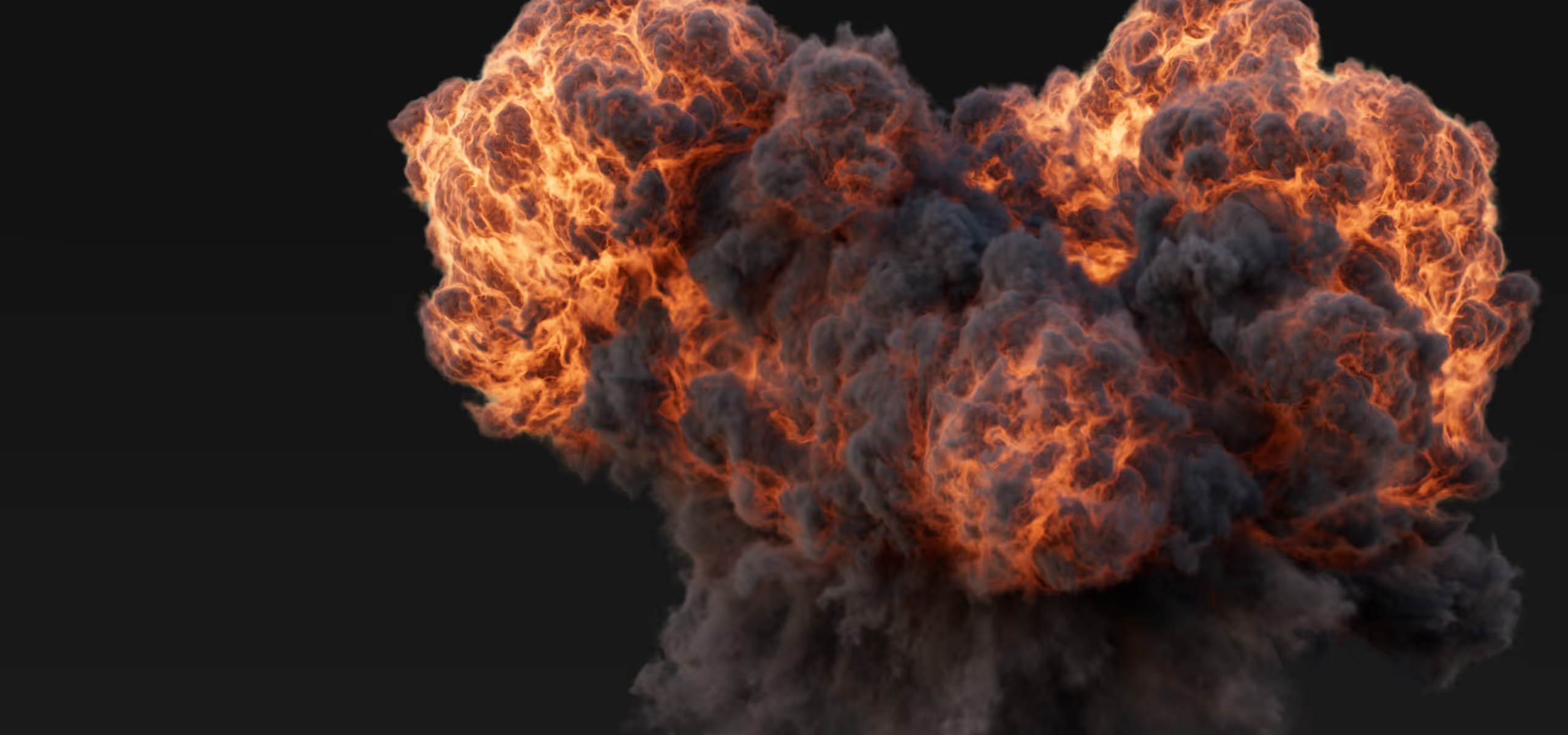
ZibraVDB is best suited for high-resolution static or animated VDB fog volumes, including smoke, fire, explosions, dust, clouds, fog, mist, and other atmospheric or pyro effects. It is especially useful when the source cache is too large to transfer, load, or play efficiently in real time.
Do I have to keep the original VDB cache too?
No. You can directly cache simulations to ZibraVDB. When loaded, ZibraVDB can be decompressed back into OpenVDB. Sometimes you may opt to keep the original VDB cache if you need the uncompressed data for other purposes.
What if storage capacity is not a concern?
Data size is not just about disk space. It is also about speed and streaming. ZibraVDB saves artists valuable time by significantly reducing the wait for data transfer and loading, as well as alleviating the GPU streaming bottleneck.
How fast is the decompression during rendering?
Very fast. The efficiency depends on GPU performance and utilization. On a RTX 3090 GPU, our benchmark tests show that decompression takes roughly 0.02–0.03 ms per millions of voxels. The exact number depends on GPU utilization.
Does data stay compressed on the GPU during rendering?
To support most rendering use cases and existing pipelines, ZibraVDB currently decompresses the entire frame, but only the current frame, not the whole sequence. Partial decompression is possible.
Can I randomly access compressed blocks as needed?
Just like OpenVDB, ZibraVDB organizes voxels into very small blocks. Technically it is possible to randomly access any specific blocks and decompress only those blocks when you need to. (Please talk to us if this is important to you.)
Does ZibraVDB have USD support?
Yes. ZibraVDB has USD/Solaris support in Houdini. You can import USD sublayers with ZibraVDB and compress volumes into ZibraVDB during USD export. We have implemented a ZibraVDB schema, an asset resolver, and an output processor.
Can ZibraVDB be decompressed into NanoVDB?
Technically it is possible, even though it is not yet implemented. Decompressed ZibraVDB data can technically be formatted into whatever volumetric data structure you need. (Please talk to us if this is important to you.)
Does ZibraVDB preserve the sparsity of the volume?
Yes. ZibraVDB’s compressor and decompressor support both sparse and dense representations.
Can ZibraVDB be used together with ZibraGDS?
Yes. ZibraVDB can handle the volumetric part of an effect while ZibraGDS handles the animated mesh component. This is useful for complex simulations that combine volumes with fluids, destruction, debris, or other changing geometry. The assets remain separate components but can be combined and sequenced in the same Unreal Engine scene.
Can I control quality, file size, and memory usage?
Yes. Compression quality controls the trade-off between retained detail and final file size, while decompression and rendering settings let you balance image quality against frame time. ZibraVDB keeps the sequence compressed and decompresses the required frame on demand rather than holding the whole sequence in an uncompressed form. For real-time playback, the largest decompressed frame must fit in available VRAM alongside the compressed data and other rendering resources.
What input formats and volume data does ZibraVDB support?
ZibraVDB for Unreal Engine imports OpenVDB (.vdb) frames and numbered sequences and compresses them into the .cvdb format. It can also import pre-compressed .cvdb files, including assets prepared in Houdini. The Unreal renderer is built around scalar fog-volume data and provides channel controls for density, flame, and temperature. Fields intended for Unreal rendering should be mapped to the renderer's supported channel inputs during import or compression.
How do I activate my license?
Get a free personal license key or a paid studio key from our website. In Unreal Engine, go to Settings > Project Settings > Plugins > ZibraVDB License, enter the key in the License Key field, and choose whether to save it per user or per project. A "License successfully verified" message in the Output Log or an Unreal Engine notification confirms activation.
How do I compress an asset?
Use ZibraVDB's Unreal Engine import workflow to select an OpenVDB frame or sequence, set the channel mapping and compression parameters, and import it. The plugin creates a compressed ZibraVDB asset in the Content Browser, which can later be reimported or recompressed. You can also compress a sequence in Houdini using the ZibraVDB for Houdini plugin (available on our website or through SideFX Labs) and import the resulting .cvdb file into Unreal Engine. Start with the default quality setting and adjust it only when the file-size or visual-quality trade-off requires it.
What streaming and playback options are available?
ZibraVDB stores a sequence in a single .cvdb file, loads the required compressed frames into memory, and decompresses the current frame on demand. This avoids loading every frame of the original VDB sequence in an uncompressed form. The component provides playback controls for timing and frame selection, and its animation can be controlled through Unreal Engine's Sequencer for shot-based workflows.
Does ZibraVDB work with Unreal Engine's lighting and rendering features?
Yes. ZibraVDB's custom renderer supports illumination by different light types, ambient lighting, shadows, and reflections, with dedicated controls for density, flame, temperature, illumination, shadows, decompression, and rendering. ZibraVDB can also integrate with Unreal Engine's Heterogeneous Volumes renderer when that pipeline is required, including for path-traced output. The custom ZibraVDB renderer remains the performance-oriented option for real-time use.
How is ZibraVDB different from NeuralVDB and NanoVDB?
NanoVDB is a compact, linearized form of the VDB data structure designed for fast read access on GPUs and CPUs. NeuralVDB is a neural compression representation that encodes OpenVDB or NanoVDB data and later reconstructs it. ZibraVDB does not use generative AI or neural networks. It combines high-ratio lossy compression, real-time frame-on-demand decompression, and an optimized Unreal Engine renderer, with Houdini integration for asset preparation. Its goal is a practical end-to-end workflow for playing large animated volume sequences in real time, rather than only providing a volume data structure or a compression representation.
AI Usage Disclosure
ZibraVDB does not utilize or depend on any generative AI or neural networks. We do not pre-train any AI models or collect any user data for AI training in the development of this product. The product also does not embed any third-party AI tools or contents.

All displayed trademarks are the property of their respective owners.
All company, product and service names are used for identification purposes only. Use of these names and trademarks does not imply endorsement